Cool / Heat
Select cooling or heating mode for everyday comfort.
MATTER OVER WI-FI · AC CONTROLLER
Matter over Wi-Fi control for compatible Daikin VRV / VRF indoor units through the P1/P2 wired-controller interface.
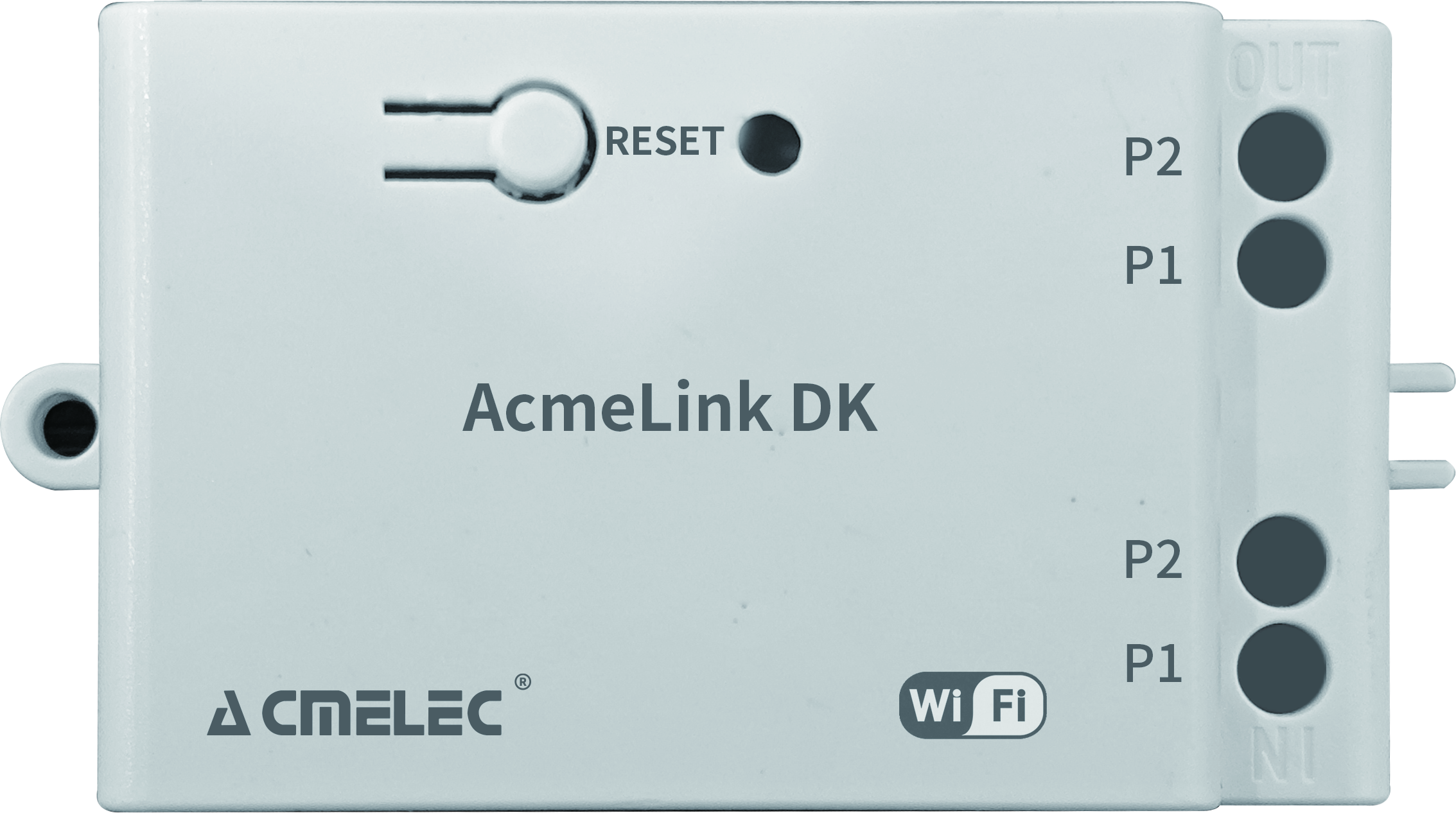
AcmeLink DK · P1/P2
CURRENT MATTER FUNCTIONS
Select cooling or heating mode for everyday comfort.
Adjust the temperature setpoint in your compatible Matter app.
Automatic fan is the only fan-speed option in the current Matter version.
Other controls remain available in the original app. Do not expect all original-app functions to appear in the Matter interface.
HOW IT WORKS
Your compatible ecosystem
2.4 GHz Wi-Fi
Compatible Daikin indoor unit
Prepare a compatible Matter controller if required by your chosen ecosystem. App layout and remote-access requirements depend on the platform.
SELECTION GUIDE
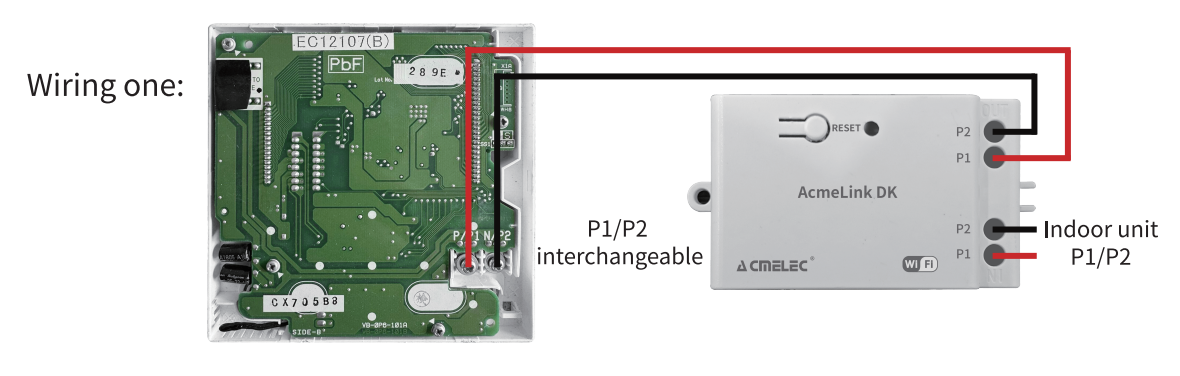
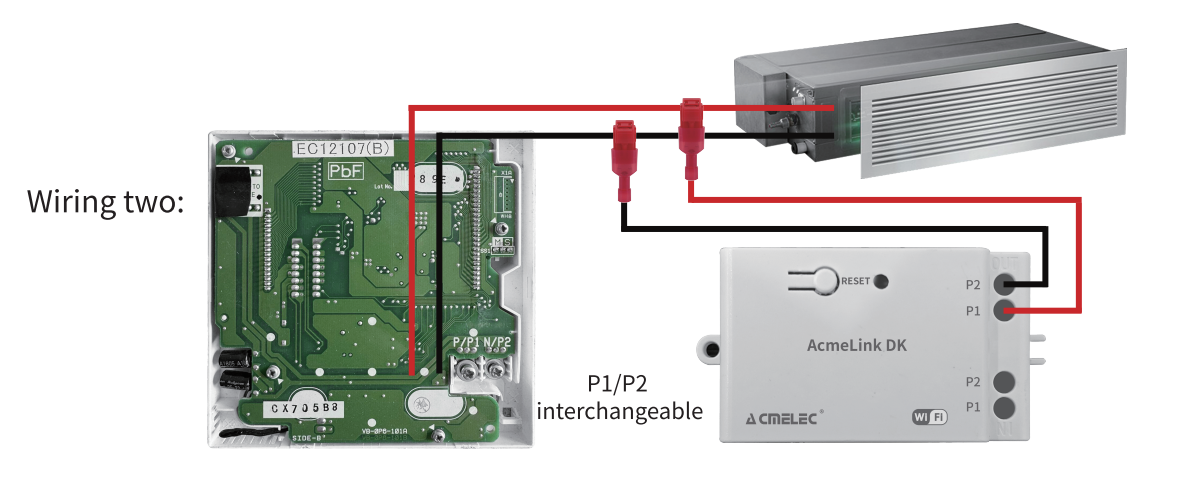
Confirm the full Daikin indoor-unit model, P1/P2 terminals and existing wired-controller configuration. P1/P2 is non-polarized; the compatible original controller can remain connected.
Send the model label and a clear photo of the interface. We will confirm the suitable version before supplying a sample.
Ask about your indoor unit →INSTALLATION
Connection illustrations reproduced from the supplied product manual. Have qualified HVAC personnel isolate power and follow the wiring information for the confirmed indoor-unit configuration.
TECHNICAL DATA
| Product | AcmeLink DK — Matter edition |
|---|---|
| Compatible equipment | Selected Daikin VRV / VRF indoor units |
| Indoor-unit interface | P1/P2 |
| Wireless connection | Matter over 2.4 GHz Wi-Fi |
| Matter operating modes | Cool / Heat |
| Matter temperature control | Temperature setpoint adjustment |
| Matter fan speed | Auto only |
| Additional controls | In the original app |
| Dimensions | 74 × 37 × 23 mm |
| Net weight | 50 g |
| Housing material | PVC |
| Power consumption | 5 W |
SETUP CHECKLIST
Check the model, interface and controller arrangement before opening the indoor unit.
Provide 2.4 GHz Wi-Fi coverage and the controller required by your Matter ecosystem.
Follow the supplied setup guide and Matter code. Check Cool / Heat, temperature and Auto fan operation.
PRODUCT OPTIONS
Ask about model compatibility, samples, branded packaging and current availability.
Looking for the original Wi-Fi version? View AcmeLink DK Wi-Fi →
No. Confirm the full indoor-unit model, P1/P2 terminals and existing wired-controller configuration. A Daikin brand name alone is not compatibility confirmation.
The current AcmeLink DK Matter version supports Cool / Heat, temperature setpoint adjustment and Auto fan only. Other controls remain in the original app.
The compatible original controller can remain connected in the confirmed P1/P2 arrangement. Send its model and the indoor-unit details so the correct wiring configuration can be checked.
Published by ACMELEC / Nanjing Ikrey Network Technology Co., Ltd. · Updated .
Use the ordered product label, matching wiring diagram and sample specification to confirm the supplied version. Request the current firmware, tested ecosystem functions and finished-product certification record for your target market.
Samples, MOQ and OEM/ODM terms · Partner model and company reference